
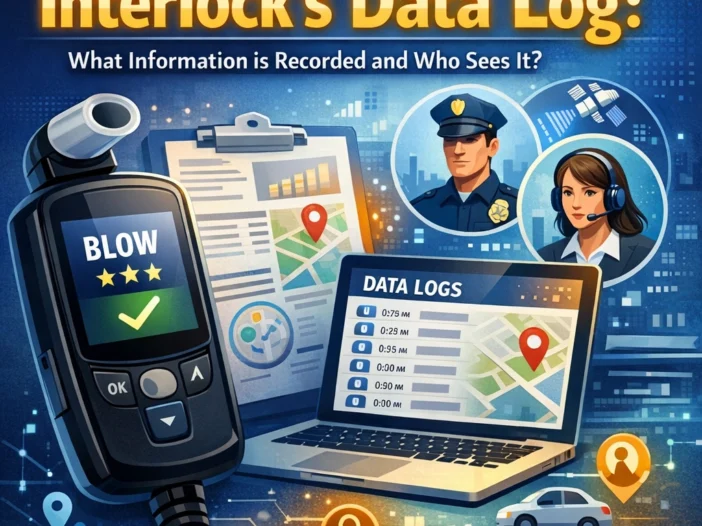
Interlock Data Log Basics and Who Can Access Your Info
Your interlock data log may look like a wall of numbers and codes, but it is the main record your ignition interlock uses to show whether you’re following the rules. Every time you blow into the handset, start the car, miss a retest, or the device senses a problem, another line is added to that digital history.
Because that history can influence your license, probation, and even future court hearings, it is worth understanding exactly what gets recorded and who is allowed to see it. This guide walks through the types of information stored in the log, how to read a typical report, which agencies and people can access it, how long it is usually kept, and practical steps you can take to monitor your records and protect your rights.
Getting Oriented: What Your Interlock Is Really Tracking
An ignition interlock device (IID) is essentially a small, alcohol-sensitive computer wired into your vehicle’s starting system. When you provide a breath sample, it measures your breath alcohol concentration (BrAC) and decides whether the car can start or continue running under your program’s rules.
Behind the scenes, the device stores each event in a log: a timestamped record that shows what happened, in what order, and with what result. This is what people mean when they talk about your “interlock log,” “download,” or “report.”
The purpose of that log is to document compliance with the court or DMV order, not to listen to conversations or record everything you do in the car. It focuses on a limited set of data points tied to alcohol tests, driving attempts, and the health of the device itself.
According to the Centers for Disease Control and Prevention ignition interlock overview, every state-level ignition interlock oversight agency now downloads device log data on a regular schedule and forwards it in a standardized, machine-readable format to the officials who monitor compliance. That means your data log is not just a technical detail — it is part of a coordinated system that multiple agencies rely on.
Core information inside every log
Although specific layouts differ by manufacturer and state, almost every IID log groups information into three broad categories. First are breath-test events: each sample’s BrAC reading, whether it was a start-up test or rolling retest, and whether it passed, failed, or triggered a warning.
Second are driving-related events, such as engine start attempts, successful starts, and lockouts when the IID will not allow the vehicle to operate. Third are device status events, including power interruptions, tamper alerts, and required service or calibration visits. Later sections will break these categories into the individual data points you will see on an actual report.
Exactly What Your Interlock Data Log Records
Your interlock data log is a structured list of events rather than a free-form narrative. Each row usually represents one event like a test, a start attempt, a lockout, or a device alert, and each column describes a different detail about that event.
The table below shows common data points that may appear in your log or on a printed/downloaded report. Not every device or state program includes all of them, but this gives a realistic picture of what is typically recorded.
| Data point | What it means in plain language | How common it is |
| Date and time stamp | The exact date and time when the event happened. | Included on every event line; forms the backbone of the log. |
| Event type | Labels what happened, such as “Start Test,” “Rolling Retest,” “Engine Start,” “Engine Off,” or “Lockout.” | Included on all logs, though wording and codes vary by vendor. |
| BrAC result | The measured breath alcohol concentration, usually shown as a number (for example, 0.000, 0.024). | Recorded for every breath test event. |
| Test outcome | Indicates whether the test was a pass, fail, or warning relative to your state’s BrAC limit. | Standard in compliance logs. |
| Reason for failed test | Code or note that may distinguish high BrAC, sample too short, or other invalid sample reasons. | Common, but level of detail can differ by device. |
| Missed or refused test flag | Shows when a required rolling retest was not provided within the allowed time window. | Typical for rolling retest programs. |
| Engine start/stop status | Shows when the engine was attempted, successfully started, or switched off in relation to tests. | Standard in most logs. |
| Lockout events | Identifies times when the IID prevented a start or went into a service/violation lockout. | Standard, with different codes for different lockout types. |
| Tamper or circumvention alerts | Signals that the device detected potential tampering, disconnection, or interference. | Standard, especially in state-regulated programs. |
| Power loss or disconnection | Records when the device loses power, is unplugged, or the vehicle battery drops too low. | Common, especially in hard-wired installations. |
| Device diagnostics | Internal self-checks, error codes, and sensor status messages. | Included but usually summarized for drivers. |
| Service and calibration events | Notes when the IID was installed, calibrated, or inspected, and by which service center. | Standard in vendor systems and often on reports. |
| GPS coordinates | Location of the vehicle at the time of certain events, if the IID includes GPS and the program requires it. | Varies; only present when GPS-enabled and ordered. |
| Camera/photo flag | Shows when the built-in camera took a photo to verify who provided the breath sample. | Common on camera-equipped devices. |
| Photo reference | File or reference number that ties the log line to a stored image. | Varies by vendor; often used in court-supervised programs. |
| User or driver ID | Identifies the driver when multiple people are authorized to use the vehicle under structured programs. | Less common; mainly in specialized or fleet setups. |
| Notes or comments | Occasional manual notes from technicians or supervision staff, such as “sensor replaced.” | Used selectively, not on every line. |
Reading an interlock data log report step by step
When you first see your interlock data log, focus on one row at a time. Start by finding the date and time, then read across to see what type of event it was, what the BrAC result showed, and whether that event led to a pass, fail, or lockout.
Most providers use short codes for event types and error reasons, and they supply a legend or key that explains each one. When you read your report, keep that legend next to you and mark any lines that show failed tests, missed retests, tamper alerts, or power losses so you can discuss them with your lawyer, probation officer, or service center if needed.
Who Can See Your Interlock Data and When
Your IID data does not go out to everyone. Access is limited to agencies and organizations that have legal authority or your clear consent, and even then, many of them only see summarized reports rather than every raw data line.
The exact list of recipients and how often they receive information depend on your state, the type of case you have, and the court or DMV order that put you on an interlock program in the first place.
Government agencies and supervision teams
Courts, driver licensing agencies, and probation or parole offices are typically the primary audiences for your IID records. They rely on compliance reports to decide whether to keep you on the road, change your license status, schedule a violation hearing, or mark you as having completed the program.
Many states now follow the AAMVA ignition interlock best-practices guide, which standardizes event codes and requires vendors to feed log data into a secure portal that authorized courts, DMVs, and supervision officers can access quickly. States using this model have reported fewer reporting discrepancies between agencies and faster responses to serious lockout events, which means your log is likely being read in a consistent, coordinated way.
Service providers, employers, programs, and you
Your interlock service provider has full access to the raw log, because they install, maintain, and download the device. Their staff use this data to perform calibrations, troubleshoot malfunctions, and prepare the structured reports that go to courts or DMVs as required.
In specialized programs — for example, DWI courts where treatment and supervision are closely linked — treatment providers may receive selected data from the log. The All Rise ignition interlock guidelines for DWI courts describe a model where providers send encrypted summaries of BAC readings, photo verification, and tamper alerts to judges and probation officers within tight timeframes so that violations can be addressed quickly.
Employers generally do not see your IID data unless the device is on a fleet vehicle they control under a formal safety or exemption program. Even then, they typically receive high-level compliance information rather than full technical logs, and they often obtain your written consent as part of employment paperwork.
You usually have the right to request your own records, either as a full download or as a summary report. Because state rules differ on the exact process and fees, it is wise to ask your provider and supervising agency early in the program how to obtain a copy, especially before court dates or major milestones.
How Your Interlock Data Moves, Is Stored, and Is Protected
Your log does not sit forever inside the handheld unit. Instead, it flows through a series of steps from your vehicle to secure databases and, ultimately, to the agencies that supervise your case.
Understanding this path helps you see why uploads might be delayed, how long records usually exist, and what measures are in place to keep unauthorized people from seeing them.
From breath sample to official record: the main steps
Although technical details differ by vendor and state, the basic flow from test to official record typically looks like this:
- You provide a breath sample or attempt to start the vehicle.
- The IID measures BrAC, checks internal sensors, and decides whether to allow the action.
- The device creates a new log entry with the timestamp, event type, result, and any relevant codes.
- Those entries are stored in the device’s internal memory until they can be transferred.
- Data is sent to the provider either wirelessly (through a cellular modem) on a regular schedule or via a wired download during your service or calibration appointment.
- The provider’s secure system imports the data, organizes it into your account, and generates reports for the agencies listed in your court or DMV order.
- Authorized officials review those reports and take any required action, such as noting successful completion or scheduling a violation hearing.
If you live in an area with poor cellular coverage, wireless uploads may be delayed until the device reconnects or you visit a service center. In those cases, the key is that events still remain stored in the device memory and are forwarded when a connection becomes available.
Transmission issues, retention, and privacy safeguards
When data leaves the handset, it is typically encrypted in transit and at rest in the provider’s systems, with access controlled by logins, user roles, and audit trails that track who viewed what. A 2023 NHTSA advance notice on impaired-driving prevention technology outlines similar expectations for future onboard alcohol-detection systems, including minimum data elements and secure, auditable access for regulators and, when ordered, law-enforcement agencies.
Storage time for IID records varies. Many programs require vendors and agencies to keep data at least until you complete all conditions and often for several additional years in case questions arise later. Because timelines and destruction rules are state-specific, your supervising agency or lawyer is the best source for the retention schedule that applies to your case.
As for everyday privacy, interlock logs are generally limited to alcohol-testing, vehicle, and device-status data described earlier. Unless your program specifically requires GPS or photo verification, the system does not track your routes or record audio, and reputable providers treat log data as program information, not marketing fuel.
Using Your Interlock Log to Stay Compliant and Protected
Once you know what the log contains and who reads it, the next step is using that knowledge to avoid violations and to respond calmly if something in the record looks wrong. The log can work for you as well as against you, especially when you monitor it and keep good personal notes.
Two areas matter most: the patterns your supervising agency might see as problematic, and the difference between genuine violations and technical or environmental glitches.
Patterns in your log that can affect your license
Individual events matter, but supervision staff often look at patterns across weeks or months. A cluster of failed tests in a short span, even at relatively low BrAC values, may raise more concern than a single isolated failure that is followed by a long, clean period.
Repeated missed rolling retests can be treated as serious, because they leave unanswered questions about whether you continued driving after a positive test or handed the device to someone else. Likewise, a series of unexplained power losses or disconnect events may be interpreted as attempts to avoid testing unless you can show mechanical or battery issues.
Because every state writes its own violation definitions and sanctions, your attorney or supervision officer is the right person to explain how specific patterns in your log will be interpreted in your jurisdiction.
Device glitches versus real violations
No electronic device is perfect, and ignition interlocks are no exception. Temperature extremes, vehicle power problems, damaged wiring, or contamination on the mouthpiece can all create error codes or invalid-sample flags without meaning that you were drinking.
Environmental alcohol from sources like mouthwash or certain workplace chemicals can also cause short-lived BrAC spikes that look different from an actual drinking episode. These events still show up in the log, but they often have distinguishing features such as rapid return to 0.000, “invalid sample” codes, or notes that a technician later replaced or recalibrated the unit.
If you suspect a device malfunction or misleading reading, it is important to document everything immediately — the date and time, what happened on the screen, what you had recently eaten or used, temperature conditions, and the names of any witnesses. Promptly contacting your provider and supervision officer to report the issue creates a record that can help sort out glitches from genuine non-compliance later.
Steps to monitor and dispute interlock records
You do not have to wait passively for others to interpret your interlock data log. Several simple habits can give you more control and help you respond quickly if a problem arises.
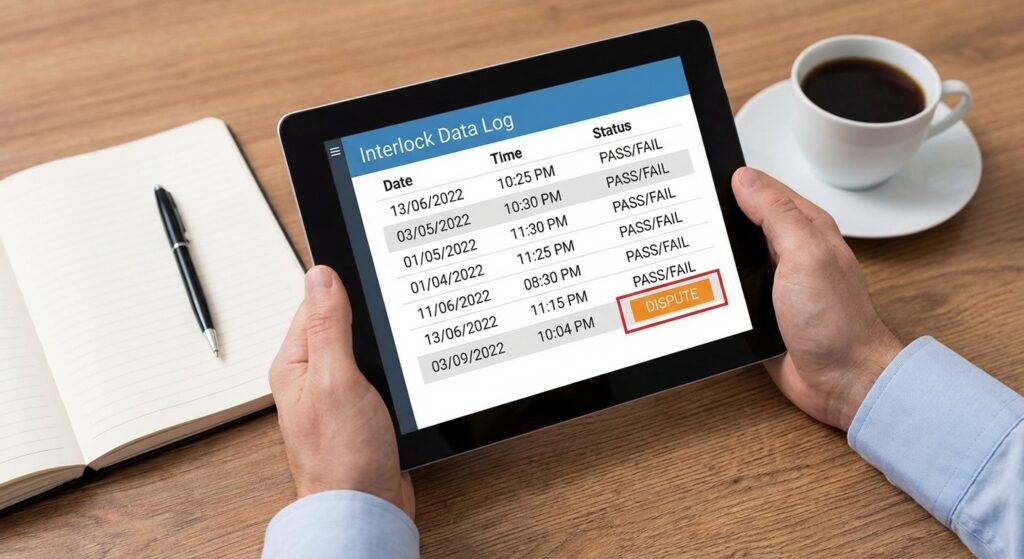
- Keep a written or digital journal that notes each unusual test, lockout, or device error, along with anything that might explain it.
- Ask early in the program how to request copies of your reports so you are not scrambling before a court date or review hearing.
- Use proper testing technique — deep, steady breath for the required time — and avoid “mouth alcohol” sources like recent drinking, strong mouthwash, or certain medications right before tests.
- Make sure your vehicle battery and wiring are in good shape so the device stays powered, especially in very hot or cold weather.
- When you receive a report that seems inaccurate, follow up in writing with your provider and supervising agency, attach any supporting documents, and consult your attorney about next steps.
If you are enrolled in a program that allows it, working with a state-approved ignition interlock provider that explains your data clearly and offers responsive support can make it much easier to understand downloads, correct misunderstandings, and stay on track.
Some drivers choose providers known for transparent reporting and customer support so that, if the log ever raises questions, they can quickly reach a knowledgeable technician who can walk through the data with them and provide documentation for the court or DMV.
For example, a provider that offers features like fuel-cell sensor technology, quick three-second breath samples, regular calibration service reminders, and clear, no-hidden-fee pricing can reduce both technical issues and financial stress while you work through your program.
When you are comparing options, look for vendors that emphasize accurate logging, secure data handling, and a willingness to explain your reports in plain language, not just low monthly rates.
Frequently Asked Questions
How can I prepare before installation so my future interlock data log is as clean as possible?
Before installation, review your court or DMV order with an attorney to understand what will count as a violation in your case. Ask the provider to walk you through sample reports and clarify which patterns tend to trigger extra scrutiny, then adjust your driving and routine accordingly from day one.
How do lawyers typically use interlock data logs to help in hearings or court?
Attorneys often analyze timing, trends, and technical notes in the log to show consistent compliance or to argue that a suspicious entry has an innocent explanation. Providing them with full downloads early allows time to cross-check the log against your work schedule, receipts, service records, and witness statements.
Can interlock data logs affect my auto insurance rates or eligibility?
Insurers generally base decisions on your driving record and conviction history, not raw interlock data, but long-term compliance supported by logs can sometimes help during coverage reviews or appeals. If you are concerned, ask your insurer whether program completion or documented sobriety periods can be considered positively.
What happens to my interlock data after I complete the program and the device is removed?
Once the device is removed, no new entries are created, but past records usually remain with supervising agencies and the vendor for a set retention period. You can ask when your last download will occur, how long it will be archived, and what the formal process is for confirming program completion in writing.
How should I handle interlock data when multiple people are allowed to drive my vehicle?
If others are authorized to drive, set written ground rules so they understand that every use of the device is tied to your case. Keep a simple log of who drove and when, so if a questionable entry appears later, you can quickly identify who was operating the vehicle at that time.
What should I do before a review hearing where my interlock data will be discussed?
Request your reports well in advance, then highlight any entries that might raise questions and gather supporting documents such as repair invoices, work schedules, or medical notes. Bring a concise timeline to the hearing so you and your attorney can explain any anomalies clearly and confidently.
Can I challenge how my interlock data is interpreted if I disagree with a violation decision?
In many jurisdictions you can request an administrative review or appeal, where you present additional evidence to show why the entry should not count as a violation. Work with counsel to submit a written explanation, supporting documentation, and any expert or technician statements that clarify what likely happened.
Staying in Control of Your Interlock Data Log and Your License
Your interlock data log is more than a technical download — it is the official story your device tells about your time in the program. When you understand what each line represents, who reads those records, and how they move through the system, you are better prepared to avoid violations, explain honest mistakes, and complete your requirements on schedule.
If you still need to choose a device or switch providers, working with a company that focuses on transparent logging, strong privacy protections, and clear support around reports can make a real difference. Low Cost Interlock offers a state-approved LCI-777 ignition interlock device with fuel-cell sensor accuracy, remote warm-up via mobile app, single-use mouthpieces for better hygiene, and flexible bi-weekly payments with no hidden fees or penalty fees, all backed by the promise of the Lowest Cost Ignition Interlock Device Guaranteed.
To get help understanding your current interlock data log, schedule an installation, or ask detailed questions about how your data will be handled, you can contact Low Cost Interlock at 844-218-5398 or visit their state-approved ignition interlock information hub. Choosing a provider that treats your data carefully and explains it clearly is one of the best steps you can take to regain control of both your log and your driving future.