
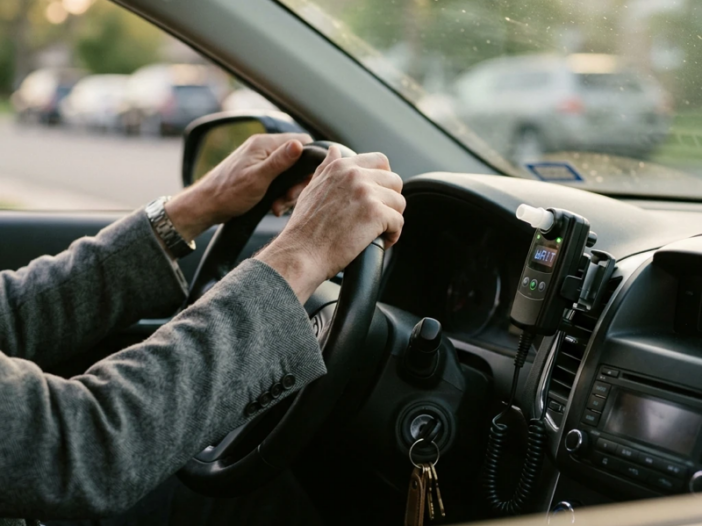
Interlock Lockout Recovery Guide: What to Do When Your Car Won’t Start
An interlock device lockout can turn a normal
morning into a small emergency. You twist the key, blow into the
mouthpiece, and the car just sits there. No engine turnover. No clear
message. No obvious next step. And it almost always seems to happen when
you’re already running late for work, a check-in, or a school
pickup.
Take a breath. Most lockouts are recoverable, and the steps you take
in the first five minutes matter more than panic ever will. This guide
walks through what an interlock device lockout actually is, what
typically triggers one, and how to get moving again without making
things worse. We’ll also cover what to do when the problem isn’t the
interlock at all.
What an
Interlock Device Lockout Actually Means
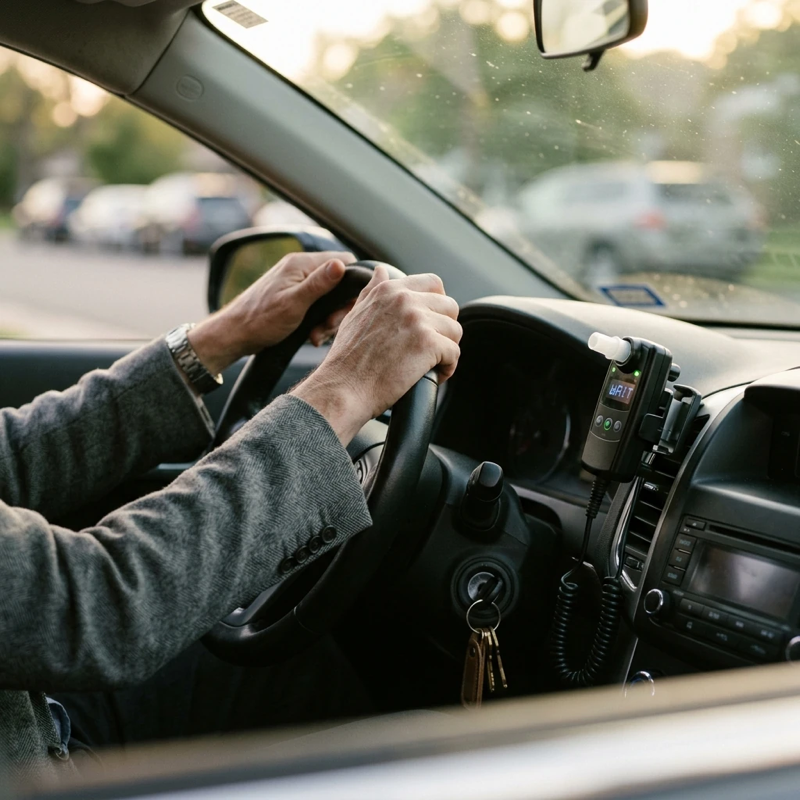
An ignition interlock device (IID) lockout happens when the device
blocks the vehicle from starting, or flags that a service visit is
needed soon. The device isn’t broken in those moments. It’s doing
exactly what it was programmed to do, based on whatever it just
detected.
That detection might be a failed breath test. It might be a missed
appointment. It might be a tamper signal. The label “lockout” covers a
range of situations, and the right response depends on which one you’re
actually in. The specific rules and timelines also vary by device
manufacturer and by the state you’re enrolled in, so anything you read
online should be treated as a general guide, not a guarantee for your
program.
Common Lockout Types at a
Glance
Most ignition interlock programs use a tiered approach.
Industry-typical types look something like this, though the exact names,
durations, and triggers depend on your device and state.
| Lockout type | Typical trigger | Typical duration range | Recovery path |
|---|---|---|---|
| Warm-up / start countdown | Normal device startup or short cool-down between tests | About 30 seconds to a few minutes | Wait for the countdown, then test |
| Temporary lockout | One or more failed breath tests in a session | Often a few minutes for the first failure, escalating with repeats | Wait out the timer, retest with a clean sample |
| Early-warning / service lockout | Missed calibration, approaching service deadline, or repeated violations | Often a few days before a hard lockout kicks in | Book a service visit before the grace window closes |
| Permanent / hard lockout | Multiple violations, missed service, suspected tamper event | Until a technician resets the device | Provider call, then in-person service appointment |
Treat the ranges above as ballparks. Your enrollment paperwork and
your provider’s customer service line are the only sources that apply
specifically to your situation.
Temporary Lockout vs. Hard
Lockout
A temporary lockout is the version most drivers see.
It typically follows a failed breath test and locks the vehicle for a
set period — often a few minutes for the first failure, with longer wait
times after repeated failures. When the timer expires, you can retest.
If you pass, the car usually starts normally.
A hard lockout (sometimes called a permanent or full
lockout) is more serious. It often follows multiple violations, a missed
service appointment, or a suspected tamper event. In most cases, the car
will not start until a technician or your provider resets the device.
Depending on your state and program, a hard lockout may also generate a
report to your monitoring authority, so how you respond in the next 24
to 72 hours can matter.
Interlock
Lockout Recovery Steps: What to Do Right Now
First, stop blowing into the device. Repeated failed attempts can
push a temporary lockout into a hard one in many programs, and you don’t
want to make the next phone call harder than it has to be. Work through
the steps below instead.
1. Read the Device Display
First
Your interlock display is your best diagnostic tool. Look for
messages like LOCKOUT, VIOLATION,
SERVICE REQUIRED, WARN, or
FAIL. The exact wording varies by device, but each
message generally points to a different cause.
A countdown timer typically means a temporary lockout. Wait it out.
If the screen is blank or frozen, the issue may be electrical rather
than compliance-related, which is a different troubleshooting path
covered below.
2. Wait, Then Retest Carefully
If the device shows a countdown, sit tight. When the timer clears,
rinse your mouth with water (not mouthwash, which often contains
alcohol) and give a clean breath sample using the technique your
installer taught you. A steady, even sample tends to read more reliably
than a rushed one.
If you pass, the car should start. If you fail again, the lockout
window typically extends. After several consecutive failures, many
devices escalate to a hard lockout. If you believe the reading was
caused by something other than alcohol — residual mouth alcohol from
food, certain medications, or hygiene products — write down the time,
what you’d recently eaten or used, and any other details. That kind of
documentation can be useful if you
failed your interlock device and need to understand the next
steps.
3.
Call Your Provider for Anything Beyond a Temporary Lockout
A hard lockout, a service-required message, or any situation you
can’t quickly explain should go straight to your provider’s support
line. Some providers can run remote diagnostics, walk you through a
temporary unlock procedure where state law allows, or schedule a
same-day visit. Others will need to see the vehicle in person. Either
way, calling sooner is almost always better than calling later.
If you’re an LCI customer, emergency
tech support is available around the clock, and the same number
handles standard service questions during business hours: (844)
387-0326.
One thing to avoid: do not try to bypass or circumvent the device,
and don’t let a friend or mechanic try either. Tampering is illegal in
most states and typically extends or restarts your interlock period.
Some violations also generate automatic reports to the court or DMV.
Car
Won’t Start After Interlock? Troubleshoot by Symptom

Not every “the car won’t start” story is actually a lockout. The
interlock sits inside a larger electrical system, and a few
non-compliance issues can keep your vehicle in the driveway.
The Device Has No Power
If the interlock screen is completely dark, the issue is almost
certainly power. A weak or dead car battery is the usual cause.
Interlock devices draw a small amount of current even when the vehicle
is off, so an older battery may fade faster than it used to. Older
batteries plus cold weather is a particularly common combination.
Check your terminals for corrosion or loose connections. If anyone
recently disconnected the battery for maintenance, the device may have
flagged a tamper event, which is useful context before you call your
provider. Reading what
causes ignition interlock device problems can help you tell device
issues apart from vehicle issues.
Device Powers On but
the Car Won’t Crank
If the screen is active, shows no lockout message, and the car still
won’t crank, the problem usually lies with the starter, ignition switch,
or wider electrical system rather than the IID. A mechanic is the right
next call. Just be sure they know an interlock is installed — a good
shop will know that car
repair with an ignition interlock device installed means
coordinating with the provider before disconnecting the battery or the
device, since either move can create a violation event.
The Most Common
Causes (and the Ones People Miss)
Failed breath tests get most of the attention, but they’re far from
the only trigger. According to the National
Conference of State Legislatures, ignition interlock devices have
stopped millions of attempts to drive after drinking across the U.S.
That overall scale is real. The day-to-day reality for most drivers,
though, is that many lockouts come from things that have nothing to do
with alcohol.
Missed calibration or service appointments sit near
the top of the list. Most devices are programmed with a service
deadline, and missing it often triggers a service or hard lockout.
Missed rolling retests are another frequent cause. If
the device prompts a retest while you’re driving and you don’t respond
in time, that typically counts as a failed retest under most
programs.
Less obvious triggers include:
- Mouthwash, hand sanitizer, or breath sprays that contain
alcohol - Certain medications (cough syrups, sublingual sprays, inhalers)
- Fermented or yeasty foods — bread, ripe fruit, kombucha, hot
sauce - Residual fumes in the cabin from paint, fuel, or cleaning
products - A weak battery causing inconsistent device readings
A practical rule of thumb: wait at least 15 minutes after eating,
drinking, or using any oral product before giving a breath sample. If
you’re not sure whether something you used could affect the reading,
your provider’s support line can usually tell you.
How to
Avoid Future Interlock Device Lockout Issues
Prevention is cheaper, faster, and less stressful than recovery. A
few habits go a long way.
Set calendar reminders for every service and calibration
appointment. Most providers send SMS or email reminders, but
treat those as a backup, not the primary system. Put it on your own
calendar with a 48-hour buffer. A missed appointment is one of the
easiest ways into a hard lockout, and it’s also one of the easiest to
avoid.
Take care of your battery. A weak battery is one of
the most preventable causes of device hiccups. If your vehicle sits for
long stretches, a basic trickle charger pays for itself. Replace the
battery if it’s past its prime — it’s almost always cheaper than an
unexpected tow plus a service visit.
Practice your breath technique. A steady, even blow
that meets the device’s airflow and duration requirements tends to read
more cleanly. If something feels off about a result, or you think a
lockout was triggered unfairly, how
to handle an interlock device lockout walks through your options in
more depth.
Watch what’s in your mouth before testing. Plain
water, a 15-minute buffer, and a quick mental check of anything you ate
or used recently catches most of the false-positive culprits.
Research published by the Centers
for Disease Control and Prevention and the National
Highway Traffic Safety Administration finds that interlock devices
substantially reduce repeat DUI offenses while the device is installed.
The system works. Working with it, rather than around it, is the fastest
path to the end of your program.
Frequently Asked Questions
Q:
What information should I have ready before calling my interlock
provider about a lockout?
A: Write down the exact on-screen message, the date and time it
appeared, and what happened immediately before — for example, a retest
prompt, a failed sample, or recent battery work. Have your device serial
number, vehicle information, and your next service due date handy too.
The more your provider knows upfront, the faster they can troubleshoot
or schedule a fix.
Q:
Can weather or temperature changes affect interlock performance?
A: Yes. Extreme cold or heat can affect battery voltage, warm-up
time, and sensor stability, which sometimes shows up as longer startup
checks or inconsistent results. In severe weather, give the device and
vehicle a few minutes to stabilize and follow any temperature-related
prompts on the display. If readings stay erratic, contact your provider
rather than continuing to retest.
Q:
What should I do if I need a tow while an interlock device is
installed?
A: Tell the tow company up front that your vehicle has an interlock
so they can plan safe loading and key handling. If the tow ends at a
dealership or repair shop, confirm the shop understands the interlock
should stay powered and untouched unless your provider authorizes
otherwise. Disconnecting the battery without coordination can flag a
tamper event.
Q:
Can someone else drive my car if it has an interlock device
installed?
A: Rules vary by state and program, but many require the enrolled
driver to be present and to provide the breath sample, even if someone
else drives afterward. Check your monitoring terms, and ask your
provider for written guidance before letting anyone else drive the
vehicle. A casual arrangement can create a compliance issue you didn’t
see coming.
Q:
How do I handle a rolling retest prompt when I’m in heavy traffic or
another unsafe situation?
A: Safety first. Move to a safe lane or pull over if you can do so
reasonably, then complete the retest as soon as it’s safe. If you miss a
prompt because of a real safety concern, document the location and
traffic conditions and contact your provider promptly to ask how it
should be recorded in your program.
Q:
Are there alcohol-free products that can still cause a positive
reading?
A: Sometimes. A few products labeled alcohol-free still contain trace
amounts or other compounds that can interfere with sensors, and strong
vapors (paint, solvents, fuel) can occasionally contribute to irregular
readings. If something seems off, rinse with water, wait a few minutes,
and test again. Keep notes if the result still looks inconsistent.
Q:
What happens if I’m traveling or temporarily out of town when my device
needs service?
A: Many providers can help you locate an authorized service center in
another city or coordinate an appointment to keep you compliant. Contact
support as early as possible — transferring service or finding
availability can take time, depending on local scheduling and state
rules. If you know about the trip in advance, calling before you leave
is even better.
Q: Can I
unlock the device myself with an unlock code?
A: Sometimes — it depends on your provider, the device, and your
state. Some programs allow a one-time unlock code in specific
situations; others require an in-person service visit for any hard
lockout. Never accept or use an unlock code from anyone who isn’t your
authorized provider, since unauthorized codes can count as tampering and
create a much bigger problem.
Q:
How long does it typically take to recover from a hard lockout?
A: Recovery time varies by provider and by how quickly you can get to
a service center. In some cases, it’s a same-day appointment. In others,
especially in less populated areas or busier service windows, it may
take a few days. Calling your provider as soon as the hard lockout
happens is the fastest way to find out what your specific timeline looks
like.
Q: Will a lockout
extend my interlock program?
A: It might. A short temporary lockout from a single failed test
usually doesn’t, on its own, extend your program — but multiple
violations, a tamper event, or a missed service window can, depending on
your state’s rules. Your monitoring authority, attorney, or DMV is the
right source for what counts in your specific case.
Get Back on the Road With
Less Stress
An interlock device lockout feels like a disaster in the moment. In
most cases, it isn’t. Read the display, stay calm, work through the
steps that match your situation, and document what happened. Keeping
your appointments and your battery healthy prevents most of the
headaches before they start.
If you’d rather have a provider that picks up the phone when
something goes wrong, Low Cost Interlock offers state-approved devices,
transparent pricing, and 24-hour customer service. Call (844)
387-0326 for help with an existing device or to ask about a new
install. Most lockouts are recoverable. You don’t have to figure it out
alone.